
01 / Understand
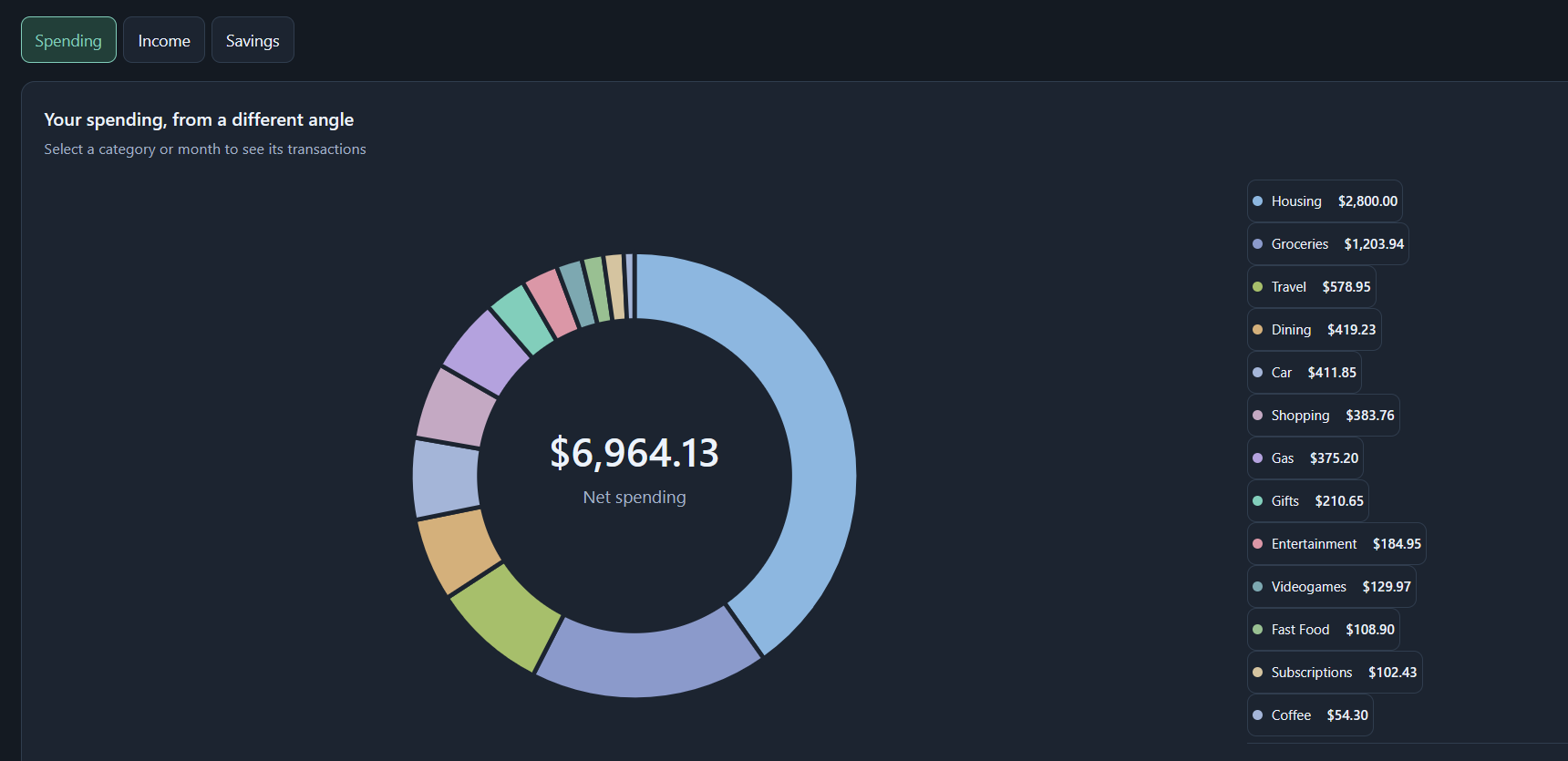
See the shape of your spending.
Explore spending by category, compare income and outgoings, and keep savings separate from everyday expenses.
- Spending, income, and savings views
- Date and account filters
- Clear category breakdowns
Personal finance for Windows
Import your transactions and turn them into clear insights about your spending, income, and savings — all on your computer.
Windows One-time purchase No subscription
How it works
Add one or more CSV exports from your financial accounts.
Transactions are categorized, with anything uncertain ready for review.
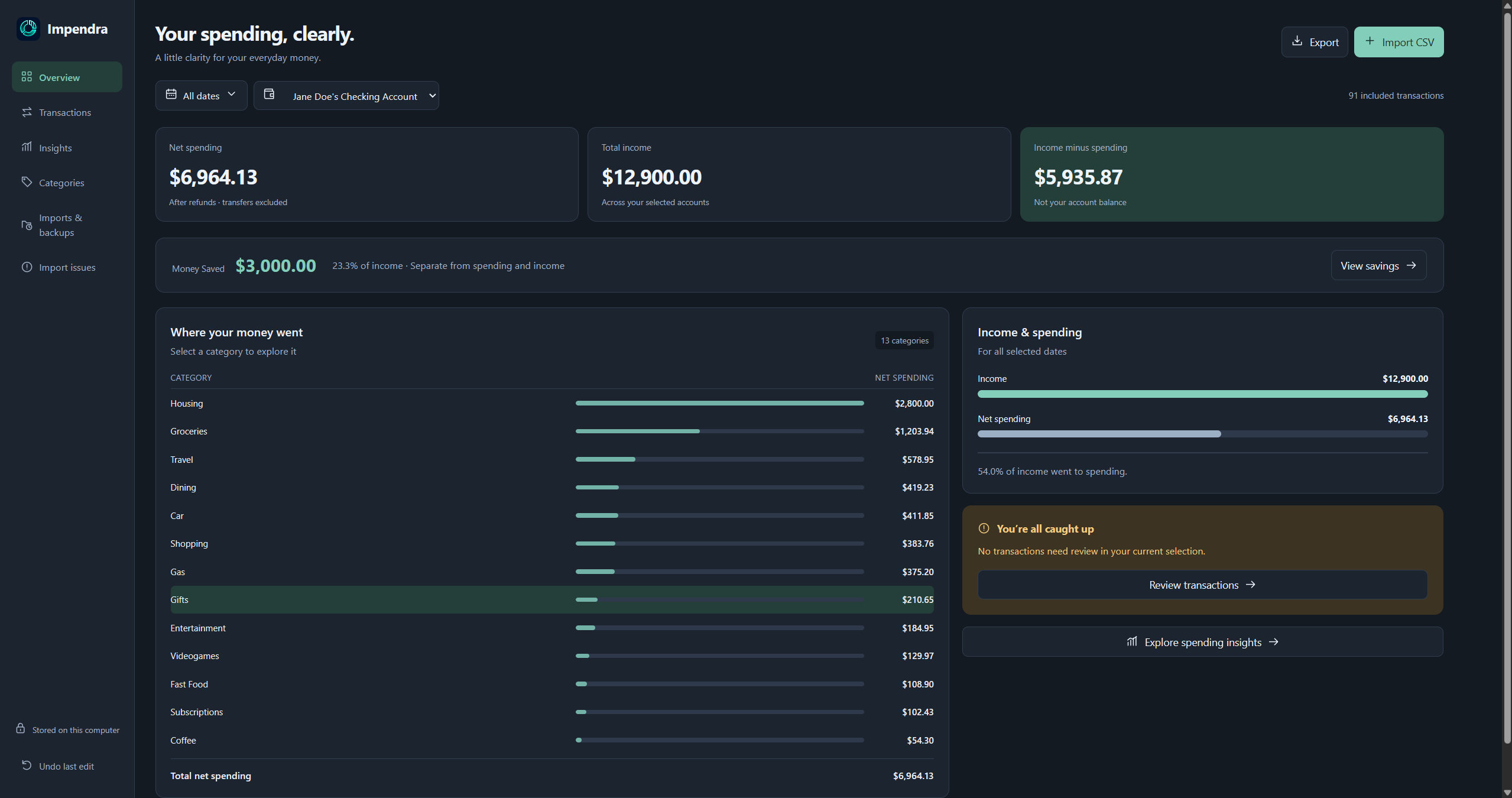
Review spending, income, and savings in a straightforward dashboard.
The product
Impendra gives you a practical view of the transactions you already have. No bank connection required.
01 / Understand
Explore spending by category, compare income and outgoings, and keep savings separate from everyday expenses.
02 / Organize
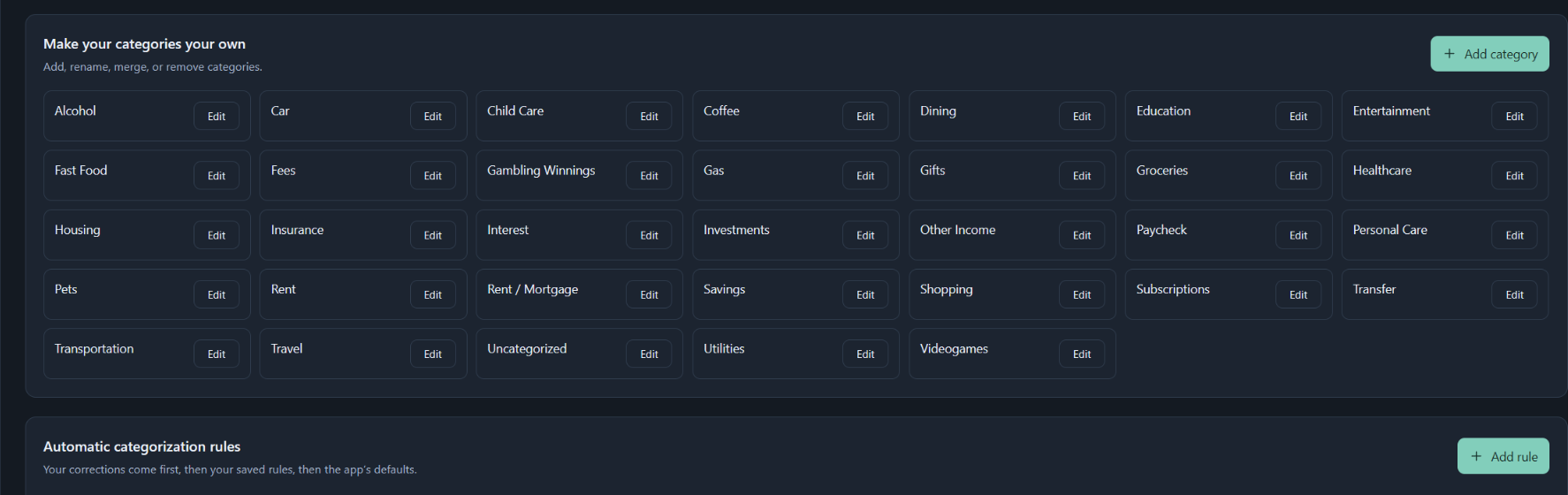
Edit categories and save your own rules so recurring transactions are handled consistently on future imports.
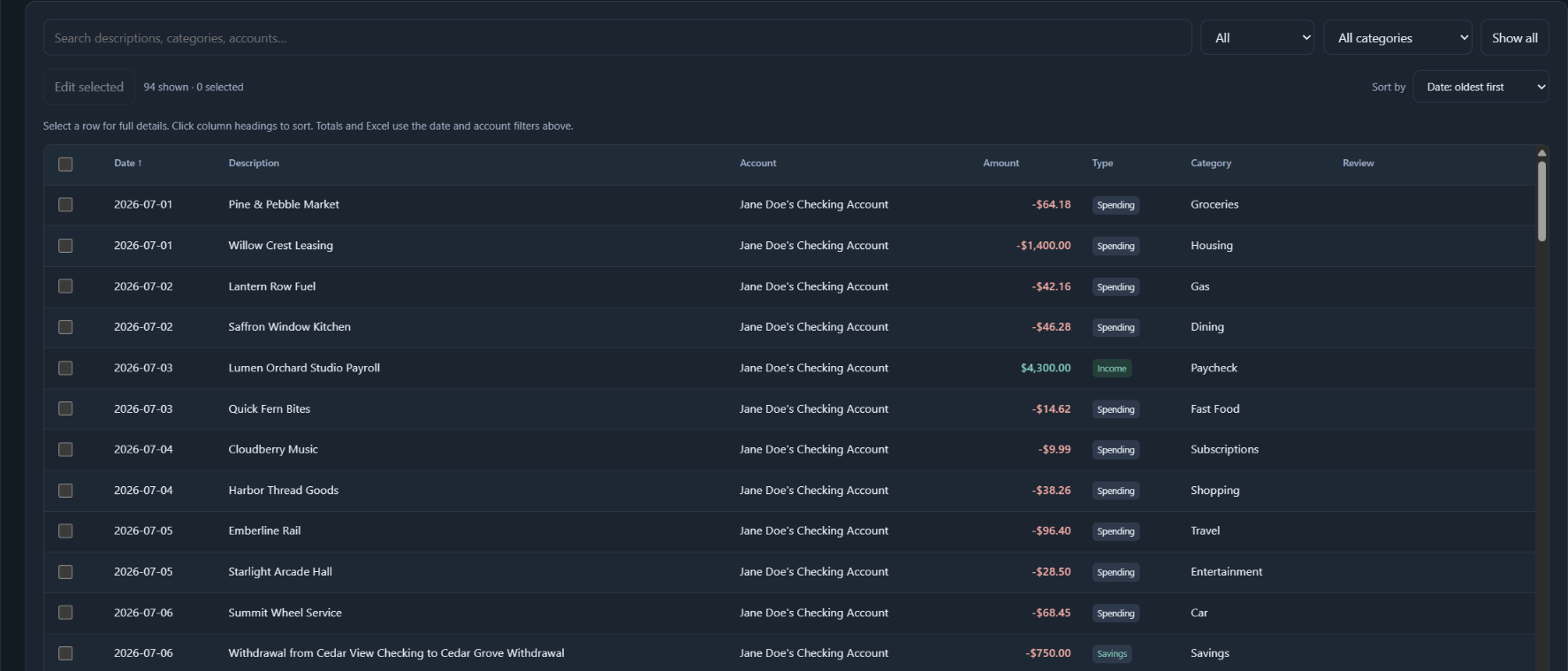
Search, filter, and edit transactions when a description or category needs attention.
Add multiple CSV files over time and keep your financial picture together.
Export to Excel and create local backups on your own computer.
Local-first by design
Personal finance deserves a calm, straightforward approach to privacy. Impendra is built around local files and local analysis.
Your transaction data is processed on your Windows computer, where you use the app.
Impendra works with CSV exports. You do not give Impendra your bank username or password.
Impendra does not require a server that stores your transaction history.
Once installed, your normal importing, reviewing, and analysis do not depend on an internet connection.
Simple pricing
One-time purchase. No monthly subscription.
$10
One-time purchase for Windows
Secure checkout powered by Stripe. Sandbox only.
FAQ
No. You export transactions from your financial institution as a CSV file, then import that file into Impendra. You never give Impendra your bank login.
Your imported transaction data and app database are stored locally on your computer. Impendra does not require a server that stores your transaction history.
Not for everyday analysis. Importing, categorizing, reviewing, and analyzing transactions can work offline once the app is installed. Website access, purchasing, downloading, updates, and support may require internet access.
Impendra supports common transaction CSV exports and guides you through mapping the relevant columns. Exact compatibility can vary by financial institution and export format.
Yes. You can add, rename, merge, or remove categories and create rules for future transactions.
New imports are added to your existing local data, so you can build a longer-term view. Impendra includes import history and duplicate-aware workflows to help keep things orderly.
Yes. This release of Impendra is built for Windows.
No. Impendra is $10 as a one-time purchase, with no monthly subscription.
During sandbox testing, checkout returns to a confirmation page without providing the production installer. Secure download delivery will be connected before public sales begin.